













The iPod Photo connector is a neat little accessory ($29) you plug in to your iPod photo and to your supported camera which can transfer all the photos off your camera and to the iPod giving you 40/60 Gigs of storage. I finally got around to using mine and I think for many trips I can leave the computer home and save money on memory cards. The connector also seems to transfer any files in the image directory. I was able to transfer movie and MP3s. Of course, I had to see what else I could plug it in to- (it charges the Shuffle! and you can make a super cheap DIY version of the Belkin media reader!) it also works with a lot of other devices and now we have some hacks I need to do — here are a ton of photos…
The business end plugs in to the iPod photo.

Female USB.

Plugged in.

Transferring photos from the Sony t1 (Japanese model). Worked great.
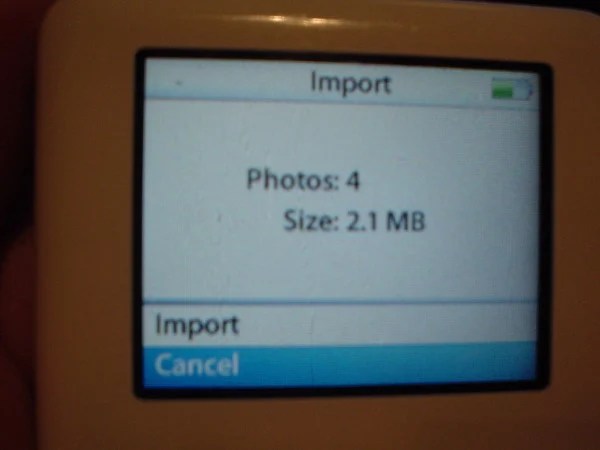
Finds the photos.

Importing.

Previews as it imports.

It has a preview which works out great. Previous methods (Belkin) did not. Using a card reader like this is good is use have a non USB 1.1 camera and it’ll save the camera battery as my IRCing pal John pointed out as I posted this.

When you do pop your iPod in on your Mac or PC the images are in a folder called DCIM. Those other folders are my iPod Linux install. iPod Linux will see the images, it’s really neat.

I didn’t expect this- the photo is recharging the Shuffle, so that means it’s getting 5V. More good news, the iPod photo will import any photos you have on the Shuffle.

I have a bracket so I could make the footprint smaller.

The other interesting discovery- you can basically make your own Belkin media reader with the iPod photo connector and a cheap 6 in 1 reader. It worked perfectly.

It works with some USB memory fobs, but not all of them. I am not sure why, but will research a bit (transferred photos off this one).

When it gets a device it can’t read, this is what you see.

This lighter shaped camera is not only banned on airplanes, it doesn’t work with the iPod photo connector.

This USB camera doesn’t work either, a bit of a shame- it’s a nice size.

No love on the phone either.

Nothing with the USB credit card.

Didn’t care for a Japan only Sony portable video player.

Ignored the Dell DJ.

It sees the PSP but not the photos. More experiments are needed.

It won’t charge the PSP (like it did with the Shuffle with my hacked USB to Sony power cord). Amazon has a video on how to build this here.
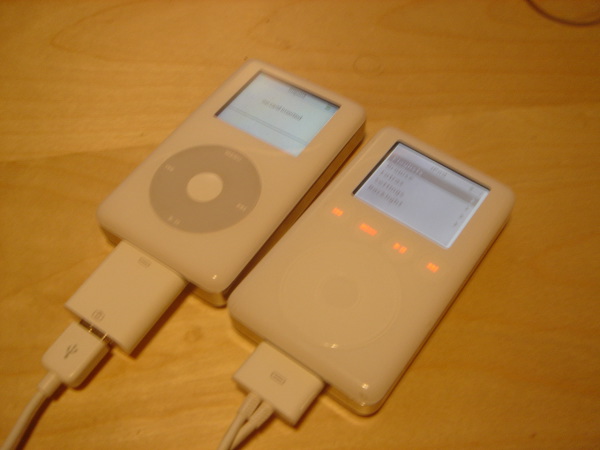
iPod to iPod was odd, one of the times it would see it, but not photos and the other it ignored.

Screen shot of the all the stuff I put on a memory stick to see if it would transfer. If you shoot movies with your digital camera this connector with the photo iPod is a must have.
58 thoughts on “iPod Photo Connector Hacking…”
Comments are closed.

ADVERTISEMENT
Join Make: Community Today




But will the adapter work with a non-Photo 4G iPod as a data transfer device?
how fast does it transfer photos and movies and music?
does it depend on the transer rate on your secure digital memory card?
Would a USB female – female adapter allow the same functionality as this gizmo? (ipod -> USB cable -> USB female – female adapter -> USB camera/card reader)
1. it’ll only work with a photo ipod (i tried others). 2. the transfer all depends on your card/camera. 3. you can’tdo the usb / gender / usb thing (i tried) the device does some things more than just a cable, but i’ll be trying more soon…
I don’t know of course, but I suspect rather strongly that your problems with some of the devices trace back to that 5V you mentioned. It would not surprise me to learn that the iPod is putting out 5V but either deliberately current-limited, or maybe just naturally slumping as you load the battery. I have found that I get the same time of shaky sometimes-yes-sometimes-no performance out of USB peripherals even on my PC if I connect them through a poor quality unpowered hub, or otherwise conspire to kill their current supply. You could prove me right or wrong if you hooked up some supplemental 5V in parallel, but you may not want to get nasty solder on such a pretty little thing. :)
How about cracking it open to see if the clever part, I’m assuming a usb-on-the-go interface, is in the ipod or the connector.
Careful, though. The ZipLinq cable you used may not be compatible with the iPod photo. So was it the device or the cable? I bought a ziplinq ipod connector to firewire cable–but after digging around to find out why it didn work saw that the photo iPod wasn’t ‘supported.’
Chaps,
anymore news on the question posed earlier regarding the USB-Fmeale-toFemale connector?
“Would a USB female – female adapter allow the same functionality as this gizmo? (ipod -> USB cable -> USB female – female adapter -> USB camera/card reader”
Chaps,
anymore news on the question posed earlier regarding the USB-Female-to_Female connector?
“Would a USB female – female adapter allow the same functionality as this gizmo? (ipod -> USB cable -> USB female – female adapter -> USB camera/card reader”
@Everyone about the F-F Converter – Its highly unlikely it will work, and there is a small chance you could even dammage the ipod or the camera. But if you insisnt, buy two extention cables, link the F sides and let us know
@Johnath @ Philip – What could be interesting, is connecting it through a USB hub, seing if it works firstly, and if it picks up the voltage to a more usable level. Im quite doubtfull though. You could also splice in some power to the 5v line
if you do, let us know how it turns out, as i am looking at getting one but my cam is not suported
pftburger@gmail.com
I just tried to connect my 5G ipod with a female-to-female usb connector to a digital camera (sony cybershot dsc-s40), not using the ipod camera connector but using the dockconnector. Allthough the camera is not listed on the apple website as one of the supported cameras, it does support the PTP protocol and the Normal protocol. So I ‘m assuming the camera is compatible. Nothing happened. Anyway, I ‘m guessing this has to do with a pin on the dock connector telling the ipod an accessory is connected, pin 21 appearantly tells the ipod which accessory is connected. I failed in my pursuit, but my iPod and camera (not mine :-D ) came out fine.
have fun,
wal
Was wondering if anyone took the Camera connector appart.
Might be easy to make. I would like to put a Voltage on it to charge the Ipod while it’s transfering, making sure the lines are disconnected from the camera to avoid problems.
Anythoughts?
Was wondering if anyone took the Camera connector appart.
Might be easy to make. I would like to put a Voltage on it to charge the Ipod while it’s transfering, making sure the lines are disconnected from the camera to avoid problems.
Anythoughts?
When connecting it to a PalmT3, it sits there and says looking for storage media or something like that. It would prob be possible to ‘talk’ to a palm device if ever wated. Maybe used as an external storage for the palm?
When connecting it to a PalmT3, it sits there and says looking for storage media or something like that. It would prob be possible to ‘talk’ to a palm device if ever wated. Maybe used as an external storage for the palm?
Howdy, i have bad news: the connector is nearly impossible to copy. In the beginnng I was thinking “this thing is worth maybe $5 and they’re selling it for a lot more. what if i could copy it?” I thought, me too, that an USB F-F would work, since the “sync cable” that comes with the iPod has only 4 pins on the iPod side, if you look closely. So, i thought I could do the trick w/ an USB F-F. I took 2 USB F’s and tried all possible combinations (24) and none worked. Then, i went to a store with the camera asking if the little gizmo is compatible, just to convince them to let me take a look at it :) Much to my dismay, the thing had the full 30 (thirty) pins, unlike the normal sync cable that has only 4 although it appears to have more. So, defeated, I bought the damn thing :|
It’s not just a simple adaptor, because when you plug it in the iPod, even without plugging the camera’s USB, you get a “no card inserted” message… So, instead buying and cutting USB’s, add $10 and get the adaptor.. Sorry :)
Hi Phillip
Nice work with all gadgets. Since the iPod sucks all power from the battery when transferring 256 MB of photos I wonder if if is possible to build a cable that goes from eg. iPod USB power supply through the camera adapter combined with camera cable. Since 2 wires in the USB is for power and 2 is for data. My thoughts are that the power supply wires goes from the power supply without connection to the camera and the 2 data wires goes directly from camera to iPod camera adapter. I do not know much about USB connections, but wonder if this is possible. Will the iPod charge through the camera adapter? Does it need the 2 data wires for charging? (opposite for the camera).
Such cable could be nice to save battery.
Hi Phillip
Nice work with all gadgets. Since the iPod sucks all power from the battery when transferring 256 MB of photos I wonder if if is possible to build a cable that goes from eg. iPod USB power supply through the camera adapter combined with camera cable. Since 2 wires in the USB is for power and 2 is for data. My thoughts are that the power supply wires goes from the power supply without connection to the camera and the 2 data wires goes directly from camera to iPod camera adapter. I do not know much about USB connections, but wonder if this is possible. Will the iPod charge through the camera adapter? Does it need the 2 data wires for charging? (opposite for the camera).
Such cable could be nice to save battery.
hey, very cool.
one thing i’d like to know- is it possible to download from the ipod to an SD card if a USB card reader is attached (in addition to uploading from the SD)? i wanna be able to use the SD card in a PDA & use the ipod as a sort of hard drive to store stuff.
thanks. bill
anyone know if this works with a 5G? and would an external hard drive work at all?
I was just wondering what you thought of my new IPOD blog.
I was just wondering what you thought of my new IPOD blog.
haha, nice trial and error. at least you know what works and what doesn’t. it’s kinda annoying to know that I need to purchase an orig iPod accessory at Podzone just as to be rest assured at it has the works on moving pix.
That’s funny. It looks like you had a lot of fun with this. Now you could keep your Zune in sync with your iPod :)
Has anyone tried to connect a USB webcam to the IPOD via the camera connector or otherwise?
You have more combinations than the Kama Sutra
Hello, nice work, I have question want to consult, is it possible to make control via usb like the ways UART does. I mean the control of all playback in ipod.(not treat as portable storage. My email is sunghinglunghk@gmail.com
Hi There i was transfering photos to the ipod Model No : A1136 but in between my cousin pressed the button on the Camera and the ipdo got hang. What do i do as the diaplay reads { Connecting…. } Please reply as this is my first ipod and cant afford loosing it.
Hello,
Did you happen to try to connect to a USB internet/broadband device? I have one from Cricket (Verizon and Sprint also have them) that I would like to connect to my iPhone touch so I can skip looking for Wifi networks.
Thanks!!!