
Make: Projects

Circle-A-Sketch

Create a program similar to "Etch-A-Sketch" with 2 potentiometers and a photoresistor.

  • By Taylor
  • Category: Arduino
  • Time Required: 15 minutes
  • Difficulty: Easy
Circle-A-Sketch

This simple project uses an Arduino, a photoresistor, 2 potentiometers, and a resistor and uses basic serial communication between the Arduino and your computer.

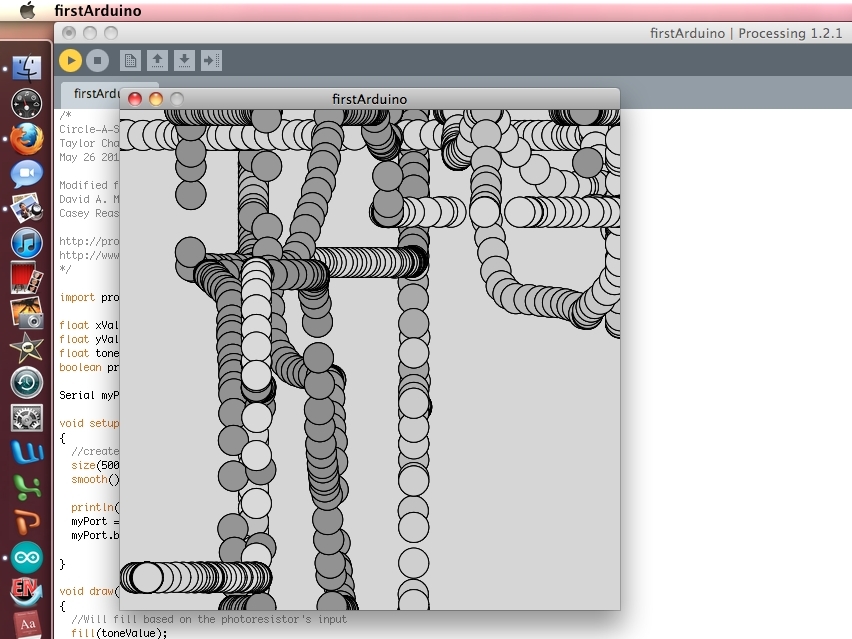
Basically, the user can draw by controlling two potentiometers (drawing knobs) and the photoresistor determines how dark the circle will be drawn.
Steps

Step #1: Set up the hardware.

Next
Circle-A-SketchCircle-A-SketchCircle-A-SketchCircle-A-Sketch
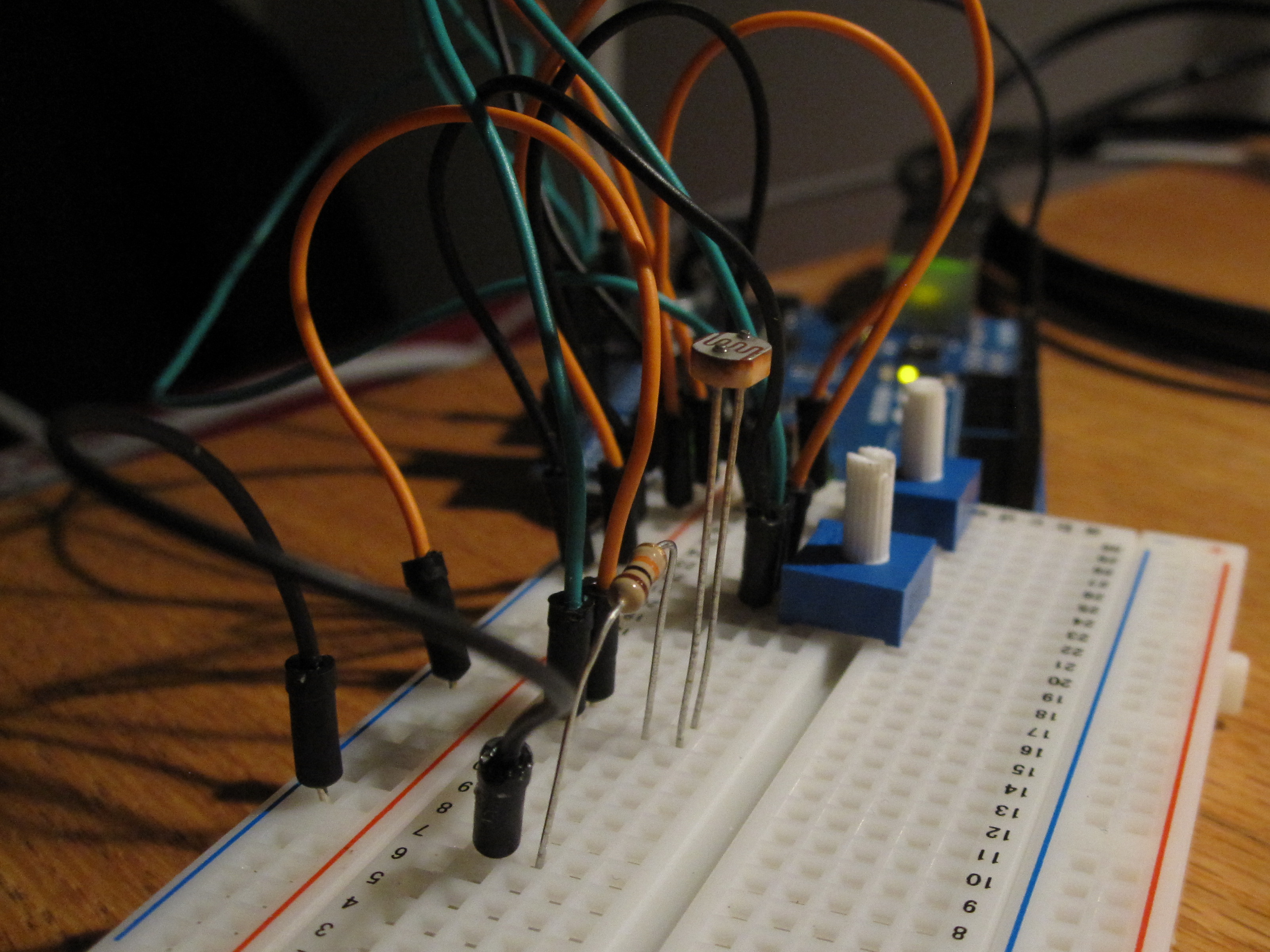
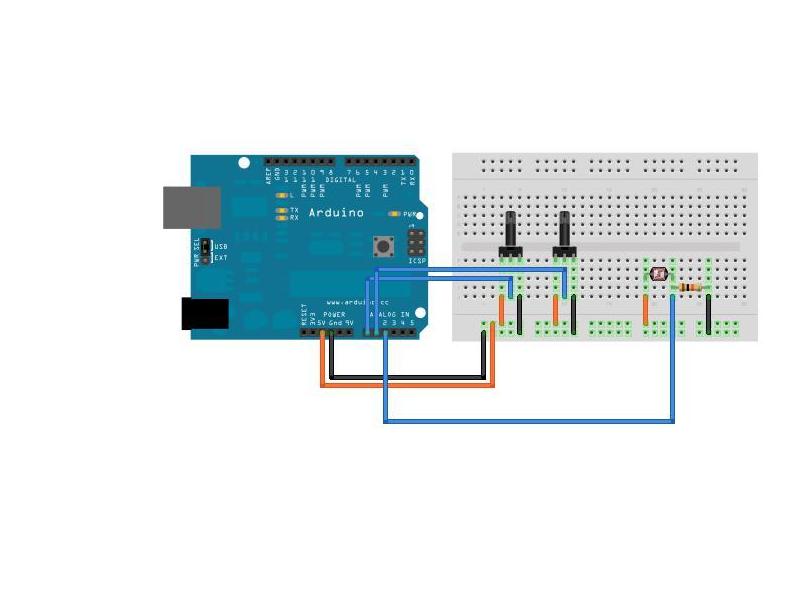
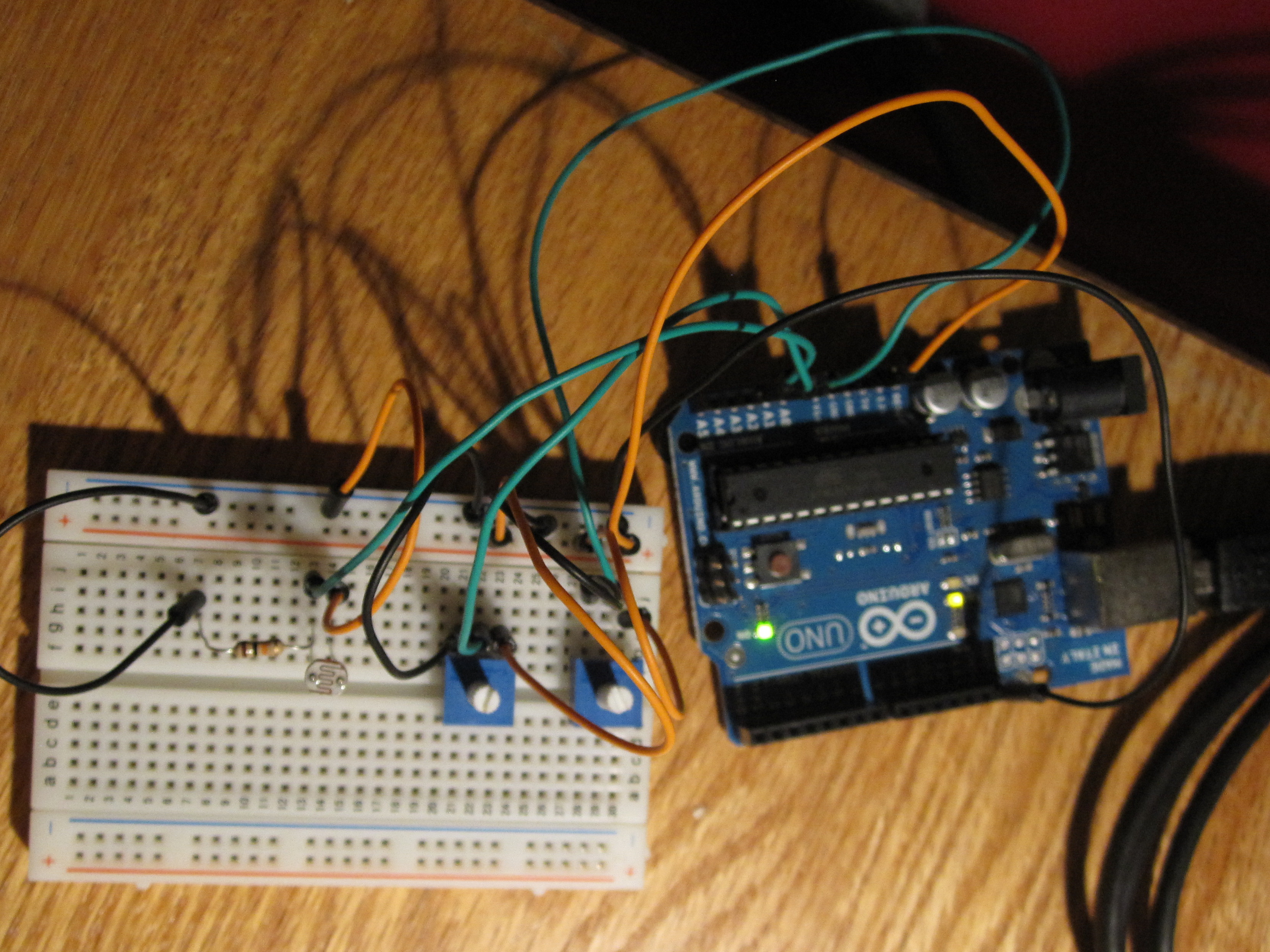
  • Set up two potentiometers next to each other. They will act as the horizontal and vertical controls for the Processing Circle-A-Sketch.
  • The pin on one end will go to a 5V source, the middle pin will go to an analog pin on the Arduino (either A0 or A1) and the other end pin will go to ground ("Gnd").
  • Photoresistor
  • Create a voltage divider with the 10k resistor.

Step #2: Upload the Arduino code.

Next
Circle-A-Sketch
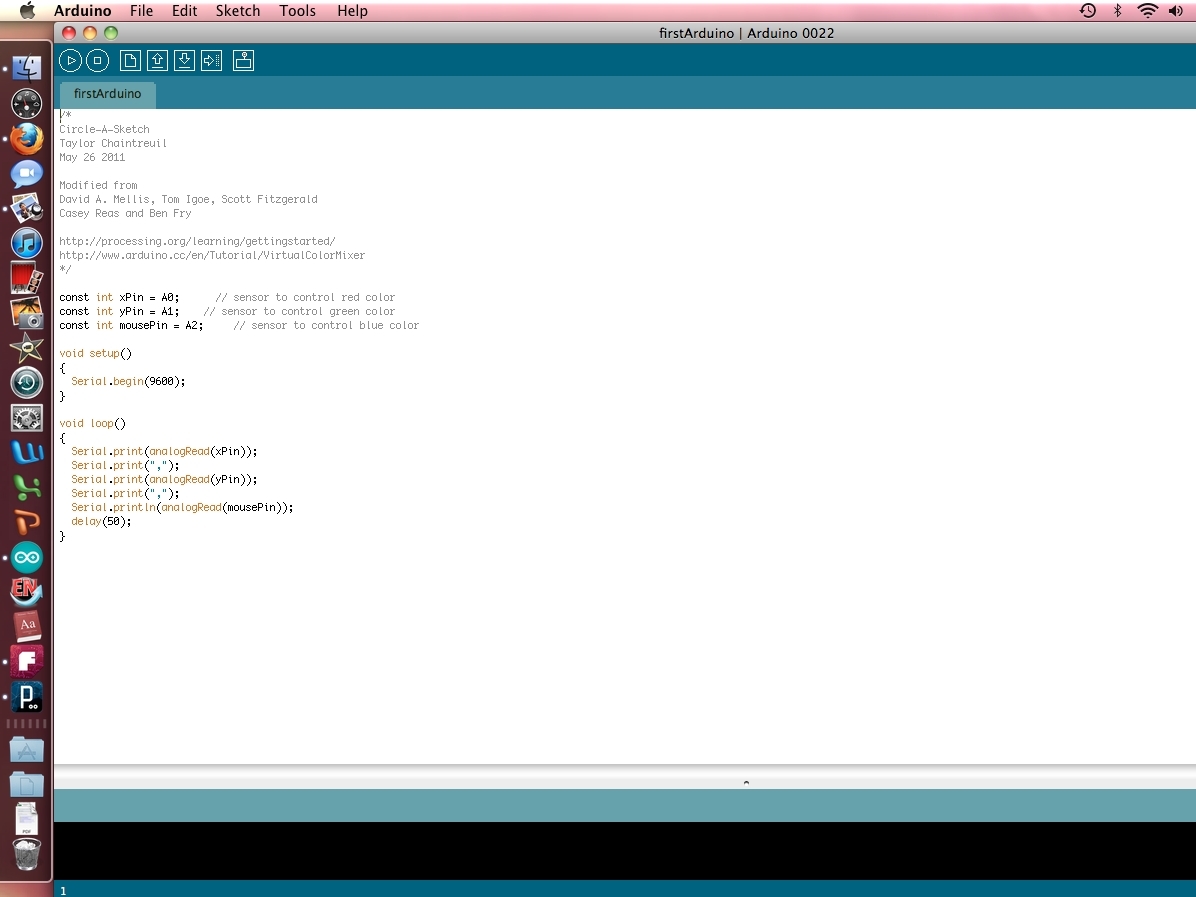
  • Connect the Arduino to your computer.
  • Verify/Compile the code and then upload it to the Arduino board.

Step #3: Processing

Next
Circle-A-Sketch
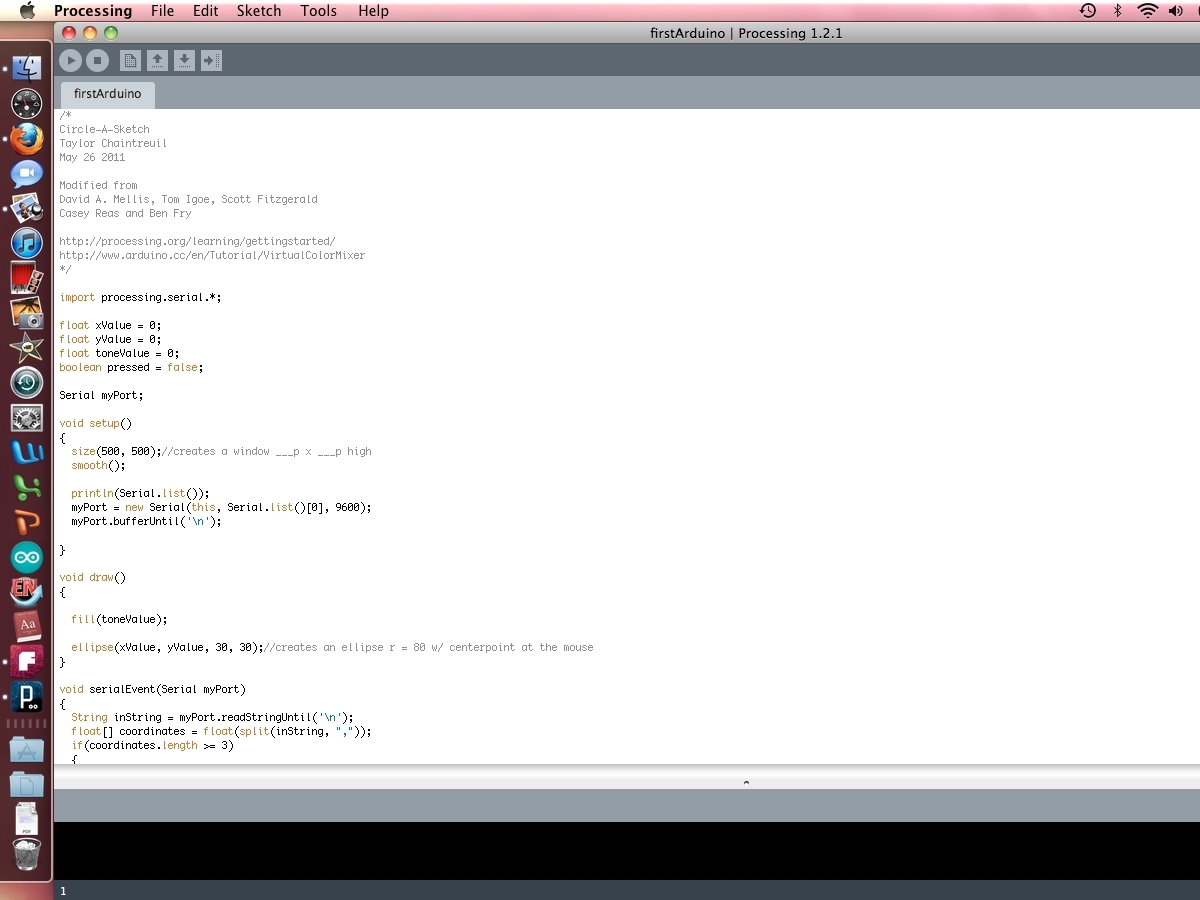
  • Download and install Processing.
  • Open Processing and upload the Processing code.
  • Click the Run button and get ready to sketch!

Step #4: That's it!

Circle-A-Sketch
  • Draw and experiment.

Leave a Reply

Fill in your details below or click an icon to log in:

WordPress.com Logo

You are commenting using your WordPress.com account. Log Out / Change )

Twitter picture

You are commenting using your Twitter account. Log Out / Change )

Facebook photo

You are commenting using your Facebook account. Log Out / Change )

Connecting to %s

%d bloggers like this: