Make: Projects
Coffee Table MAME Console
Emulate the raw fun of classic arcade games, wirelessly on your TV.
By John Baichtal and Adam Wolf
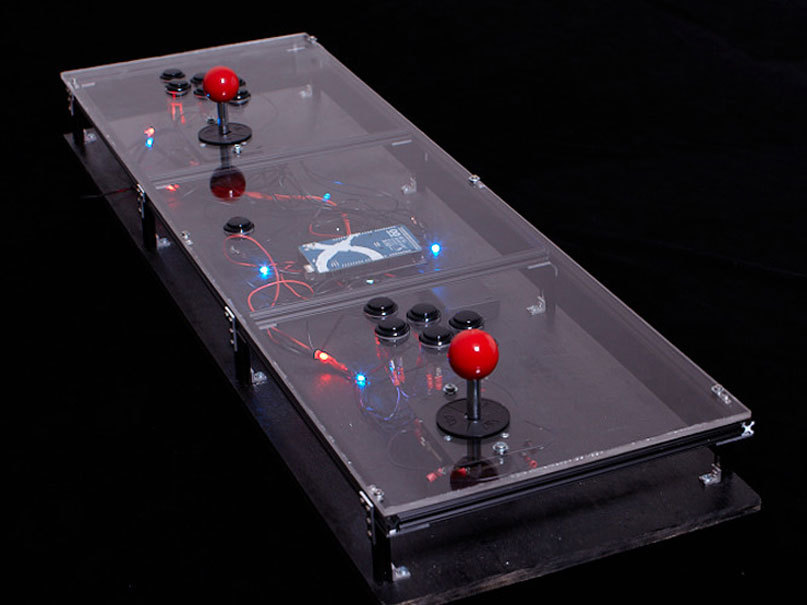
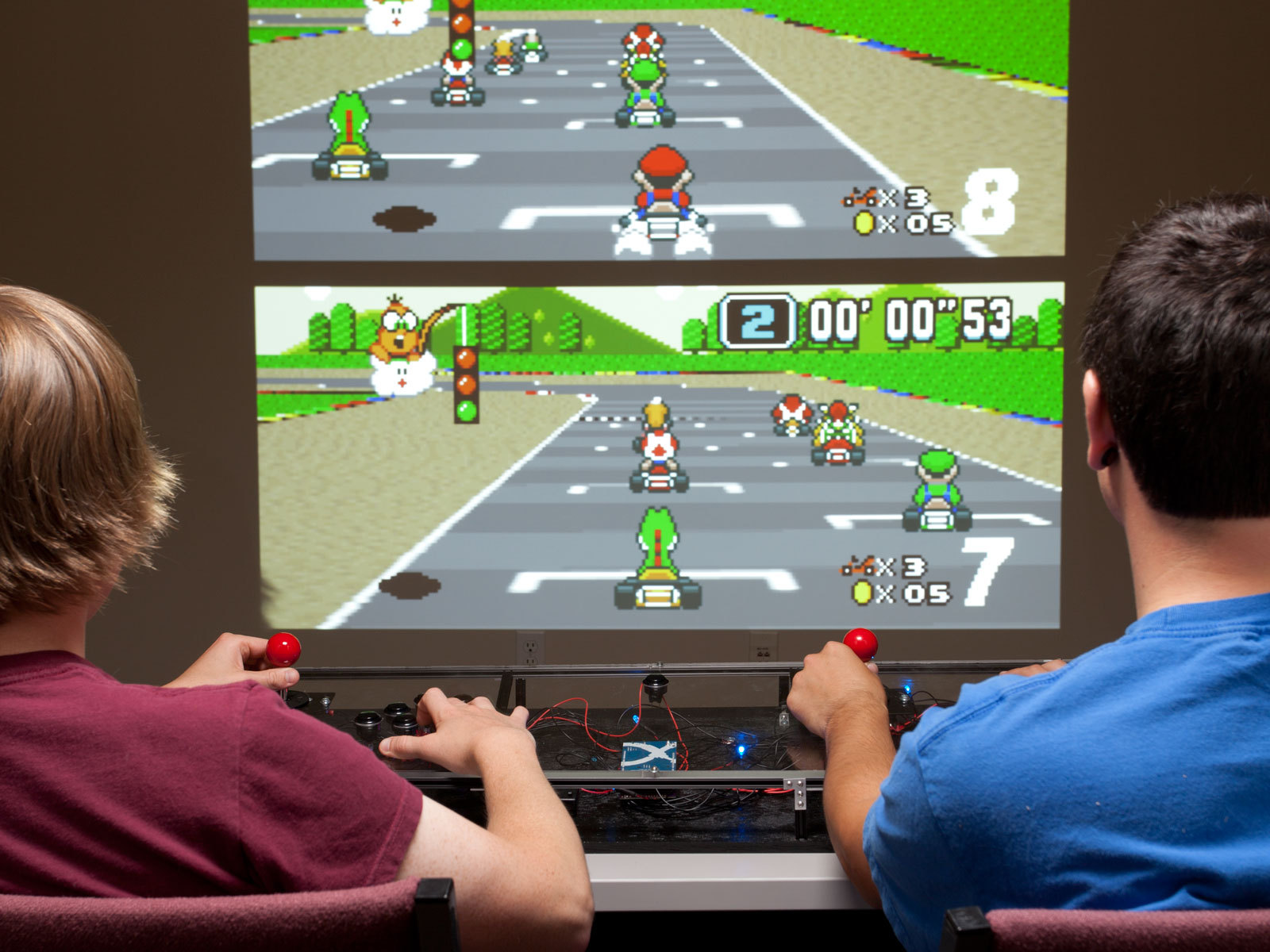
Do you remember those classic video game arcades filled with rattling quarters, 8-bit songs, and flashing lights? You can reclaim that excitement in your own living room with this Coffee Table MAME Console.
In 1997, Italian software developer Nicola Salmoria released the first iteration of MAME (Multiple Arcade Machine Emulator), a free software platform that lets standard PCs play classic arcade video games. Since then, other emulators (sometimes incorrectly called MAMEs) have come out for old game consoles like Super NES, ColecoVision, PlayStation, and others. For each of these emulators, countless game programs, or game ROMs, are widely available.
This means anyone with a computer can play a plethora of classic old video games, which is great. But the hard(ware) reality is, these timeless challenges, which fuse bare-essential graphics with great 8-bit soundtracks, just aren’t as fun with delicate controls like keyboards, mice, or trackpads. Arcade games were designed for button-pounding, joystick-jamming physical action.
Oftentimes makers will build MAME cabinets that resemble old-time arcade games, but ultimately they’re just PCs with buttons and joysticks wired in. With the Coffee Table MAME Console, we’re going to build a stripped-down version of the arcade machine. It doesn’t need a monitor because you can use your TV, and instead of having the computer inside the enclosure, the console connects to your PC via Bluetooth.
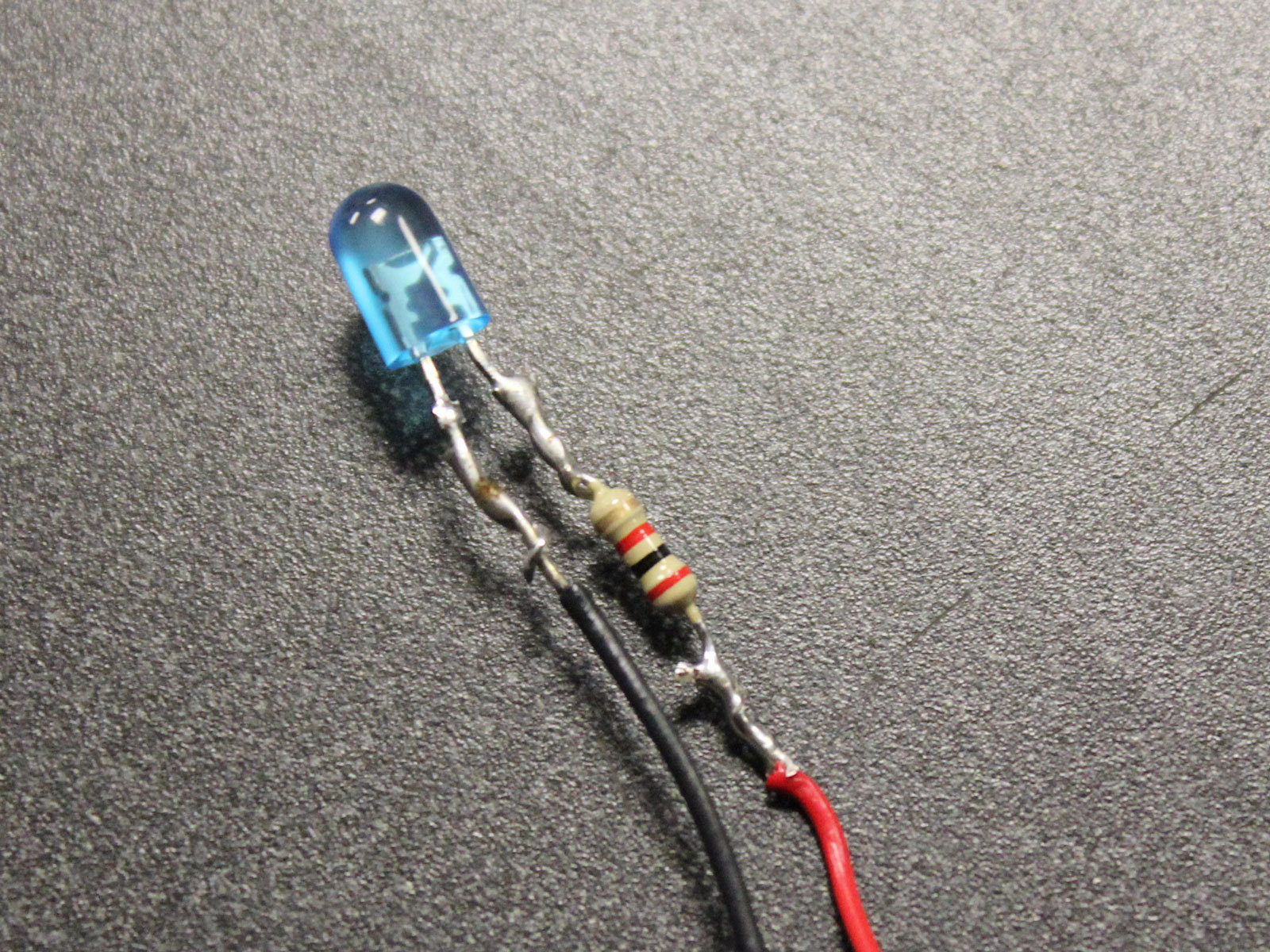
We used MicroRAX aluminum beams to build our enclosure, with black-painted plywood for the base. And we didn’t want just a boring box, so we sexed up the console with a sheet of clear acrylic for the top and red and blue LEDs that display random patterns of flashes. Every time you toggle a joystick or button, you cycle to the next LED pattern, so the lights dance while you play games.
This project first appeared in MAKE magazine, Volume 28. Subscribe today!
Steps
Step #1: Assemble the enclosure.
Next


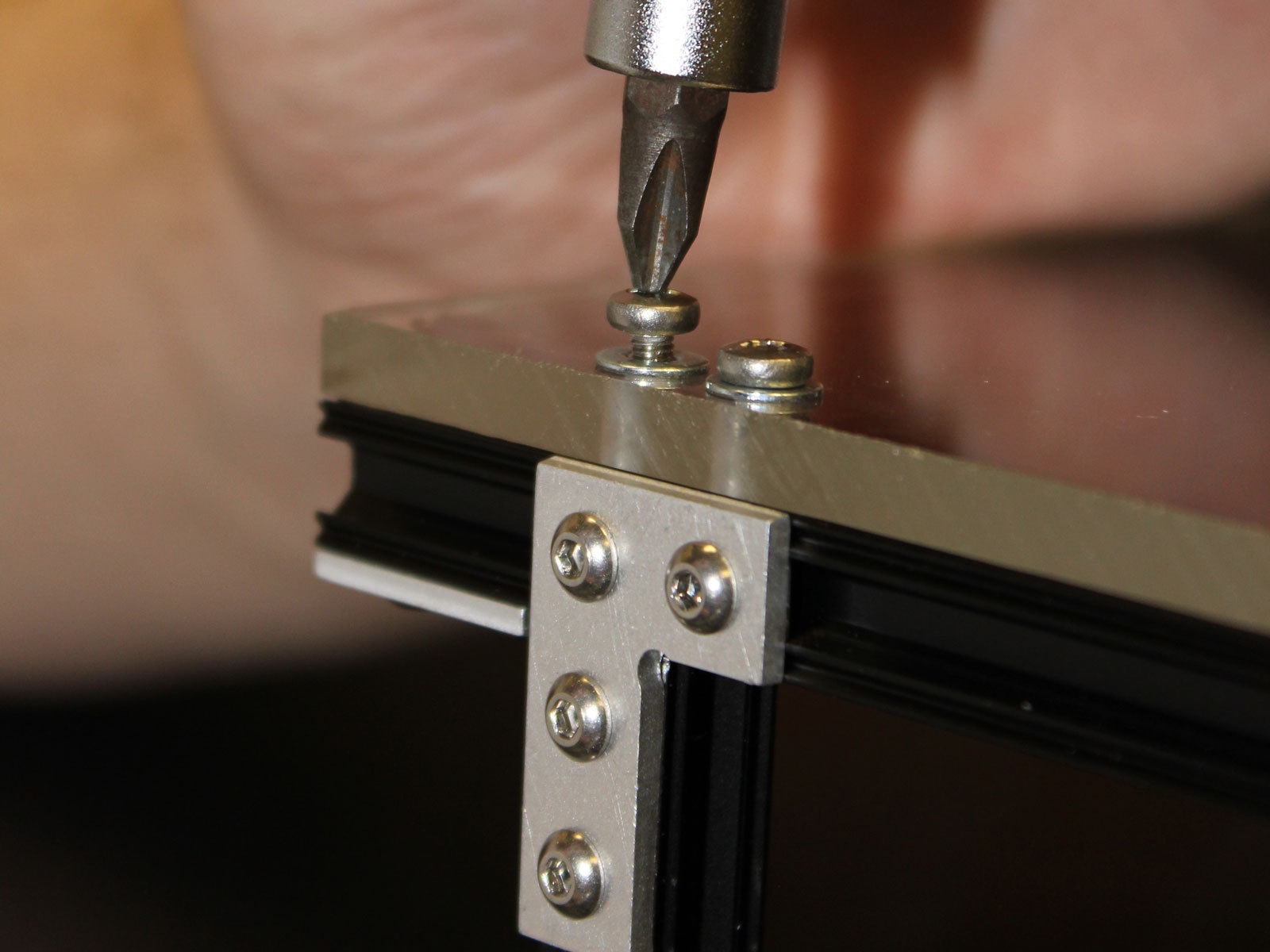
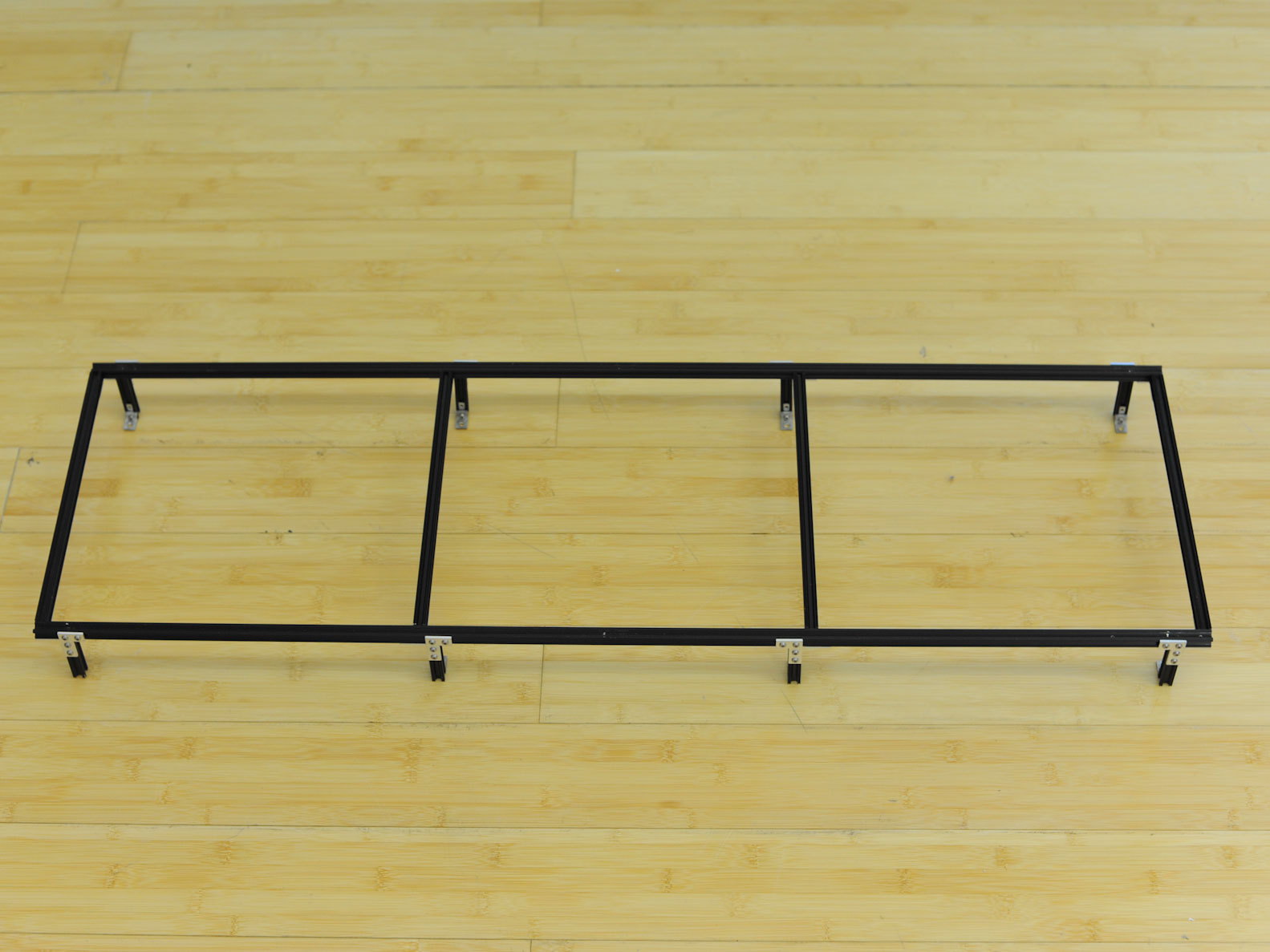
- There’s no set size for the console — go with whatever seems right and suits your needs. We started by making a rectangular MicroRAX frame 900mm long (the default length of the MicroRAX beams, or around 35½") by 280mm (11"), and with eight 50mm (2") legs.
- For the base underneath, we painted a sheet of plywood black, then attached our MicroRAX framework onto it with #8 wood screws. Cut the acrylic to the same size as the plywood, but don’t attach it yet. Install 4 rubber feet (one for each corner) under the base; these will prevent the console from slipping during heated gameplay.
- We designed our console to rest on a coffee table, but you can make yours however you want — it doesn’t even have to look like a console. For instance, you could wire a joystick and buttons into the arm of a recliner.
Conclusion
MATERIALS SOURCES
Wayne and Layne Bluetooth Arcade Shield
http://www.wayneandlayne.com/projects/bl...
MicroRAX
Classic Arcade Joysticks from Jammaboards
http://www.jammaboards.com/store/classic...
Sanwa OBSF-24 Arcade Buttons from DJ Tech Tools
http://www.djtechtools.com/store/arcade-...
WT12 Breakout Board (for DIY Bluetooth Arcade Controller)
http://www.inmojo.com/store/jeff-rowberg...
RESOURCES
Build your own Arcade Controls wiki - good general resource
http://wiki.arcadecontrols.com
MAME Emulators
Official MAME site: http://mamedev.org/
Zophar's Domain directory of emulators: http://www.zophar.net/
Wikipedia directory of emulators: http://en.wikipedia.org/wiki/List_of_vid...
Game ROMs (public domain)
http://www.emulator-zone.com/doc.php/rom...
iPac Arcade Controller (not wireless)
http://www.ultimarc.com/ipac1.html
Front End software (manage emulators and ROMs)
http://wiki.arcadecontrols.com/wiki/Fron...
This project first appeared in MAKE Volume 28, page 48.


Hi Jesse,
I’m one of the authors. Why don’t you send me a email through http://www.wayneandlayne.com/contact and we’ll get you set up with the information you need.
Thanks!
Adam Wolf
And what would he learn by doing it that way? What fun would he have by doing it that way?
// What's Trending
Raspberry Pi Design Contest
Maker Faire: Day One
A Photo Tour of Maker Faire
Arduino Announces New Wireless Linux Board
Seventeen Sneaky Secret Hides
10 Things to Connect to Your Raspberry Pi
Radio Shack Unveils the New Delta Series Mini PC Board at Maker Faire
New Arduino Robot Available in the Maker Shed at Maker Faire
// What's Shared
A better way to slice a pumpkin
DIY Nerf Darts
In the Maker Shed: Minty Boost USB Charger
100 Dollar Store Organization Ideas for Craft Rooms and Beyond
Mad’s Mouse House
Lace Princess Crowns
I Have a (Puzzling) Dream
Play the Rings of a Tree Trunk Like a Record
// Most Commented
DIY Hacks & How To’s: Get Emergency Power from a Phone Line
Resin Casting: Going from CAD to Engineering-Grade Plastic Parts
Ten Tips for Screws and Screwdrivers
Ten Tips for Better Measurement
Makers on TV: Big Brain Theory
Tool Review: BioLite CampStove
Grow: A Portable CNC Router System
Pitches with Prototypes: Solar Tracker