









Make: Projects
Pixelmusic 3000
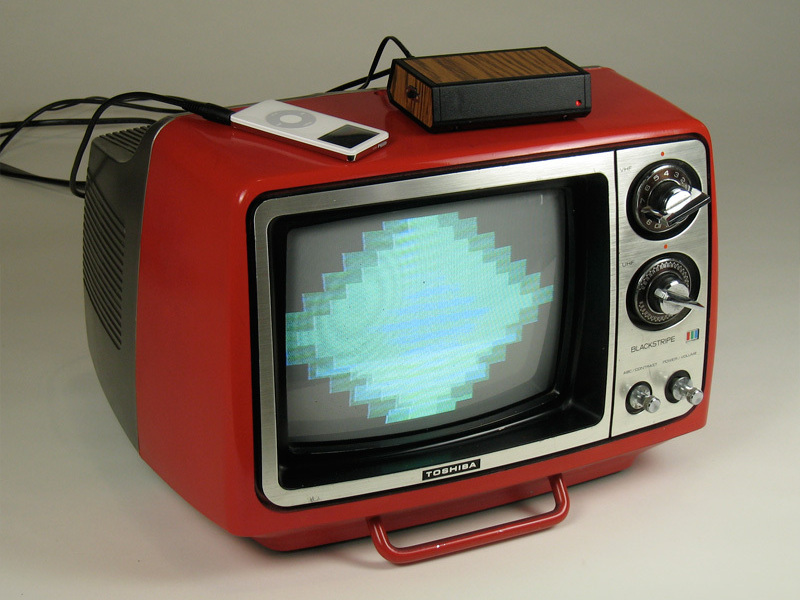
Re-create a 1970s video trip by plugging this box into any TV and audio source.
In 1976, Atari introduced Atari Video Music, a plugged-in music visualizer designed by Pong creator Bob Brown that bridged the yawning gap between consumers’ stereos and their TV sets. The quirky, psychedelic pixelation device never caught on, but watching it in action today (check it out on YouTube), one is taken back to another time, long before iTunes and Winamp visualizers. It was a time when vinyl, denim, Foghat, mood rings, limited color palettes, and RadioShack’s business model all somehow made sense.
And while Foghat’s career may be a distant memory, interest in Atari’s long-gone device remains. So we introduce the Pixelmusic 3000, a weekend project that pays tribute to those groovy times, and to a product that was either too quirky or too revolutionary to make it past its first year’s production run.
Today, of course, the technologies that enabled Atari Video Music are much smaller, cheaper, and more accessible. We’ll use the Propeller microcontroller and its video libraries to create a simple AVM-like visualizer that feeds a TV from an iPod or other music player. Check out a video of it in action here.
Source code here: http://makezine.com/14/pixelmusic/pixelm…
Schematic here: http://makezine.com/images/14/pixelmusic…
Steps
Step #1: Make the cables.
Next


- Cut the stereo mini cable near 1 end, and strip the wires 2" down. Use a multimeter’s continuity function to identify left channel, right channel, and ground (GND) wires, which correspond to the jack’s tip, ring, and sleeve, respectively. Ground may be a mesh surrounding the other 2 wires.
- Cut the mini-to-RCA A/V cable near the mini end, then strip and identify the wires as you did with the stereo cable. This cable has an extra ring for video, which connects to the yellow RCA plug.
- Solder the cable wires to the 3- and 4-pin circuit board headers. With the stereo cable, solder in this order: ground, right channel, left channel. With the A/V cable, follow the order ground, video, left, right. Confirm all connections with the multimeter — inside my possibly nonstandard A/V cable from a 99¢ store, the white and yellow wires were reversed.
Conclusion
This project first appeared in MAKE Volume 14, page 114.


Almost all of the parts can be obtained from Parallax (www.parallax.com)